MCP
Optimise MCP is a secure connector that brings your campaign data directly into leading LLMs such as ChatGPT and Claude enabling you to analyse, query, and act on your data within the AI tools you already use.
Optimise MCP is available for Advertisers as part of our Labs programme. If you would like to be a part of the programme please reach out to your Account Manager.

Setup
Claude Connector
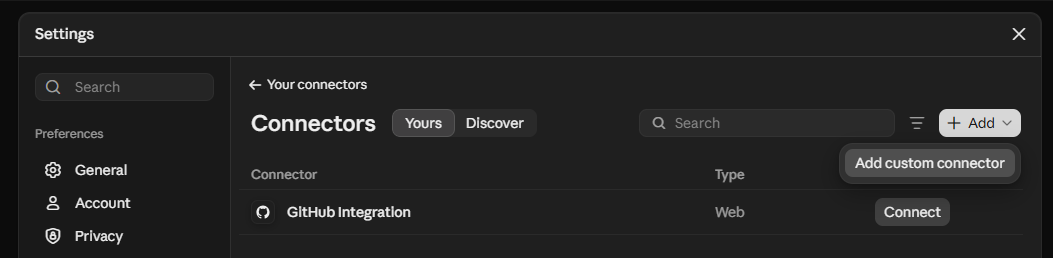
To install Optimise MCP into Claude follow these instructions:
- Click Settings > Connectors > Add Custom Connector
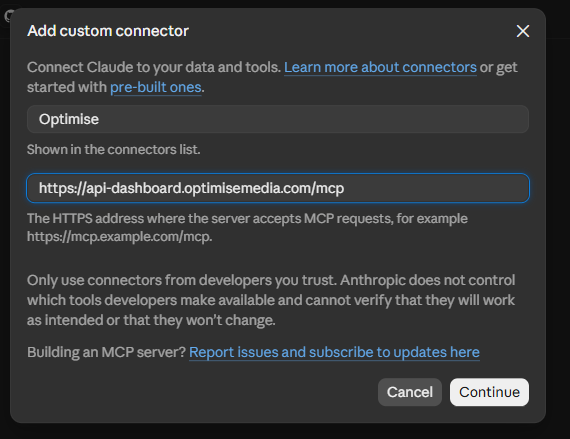
- Enter the following information:
https://api-dashboard.optimisemedia.com/mcp
ChatGPT Plugin
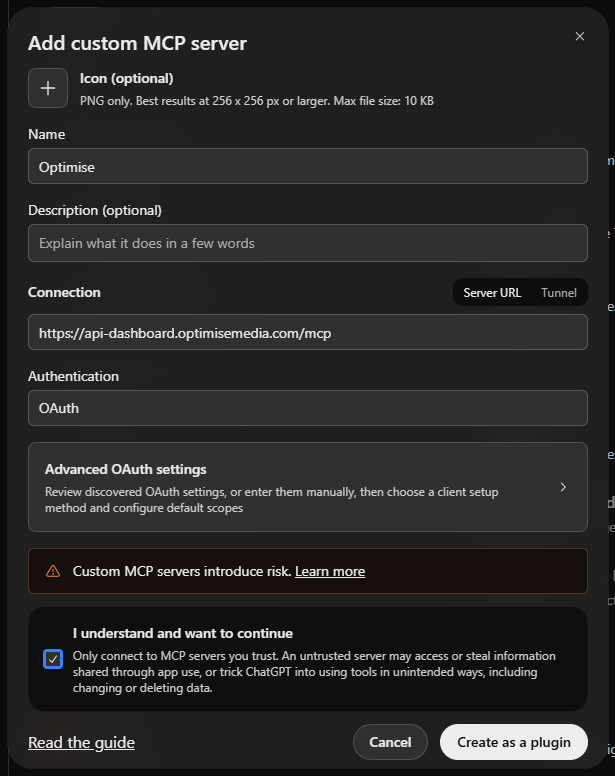
- Click Plugins button > Add > Add custom MCP server

- Enter the following information:
https://api-dashboard.optimisemedia.com/mcp
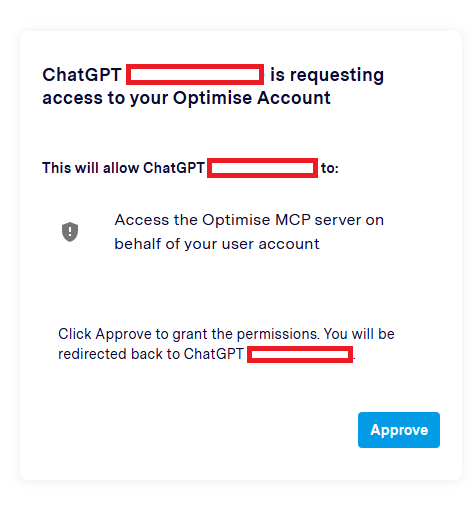
You will be asked to authenticate the connection by logging into the Dashboard and granting access to share data from your account.
FAQs
What can I do with Optimise MCP?
In the current release you can access reports & market intelligence tools.
My login can access multiple accounts. How does that work with the MCP?
The MCP can access all of the accounts your login has access to. You can use natural language or your MID/AID to filter the reports by brand/account.
Can I run multiple reports?
Yes. Outline your reporting requirements in natural language and the MCP will use the tools available to it to compile the relevant data. This might involve multiple reports, merging data and calculating new values if required.
Can Publishers use the MCP?
At the moment only Advertisers can connect to the MCP. We will be making a seperate update for Publishers.
Authentication
The Optimise MCP Server uses OAuth to securely authenticate access while respecting your existing permissions and access controls. Your credentials are never exposed to the AI assistant. Instead, access is granted using secure, revocable tokens that you can manage at any time.