Google Data Studio
Introduction
This tool enables Optimise conversion data to be displayed in Google Data Studio through a data connector.
important
This product is still in a Public Beta.
Getting Started
Launching The Connector
- Request access via your Account Manager
- Using the shared link open the Google Apps Script Project
- Click on the OPEN PROJECT button
- From the open project click Publish > Deploy from Manifest...
- Under Deployments expand PROD Version 21 and click on the link to Open Google Data Studio
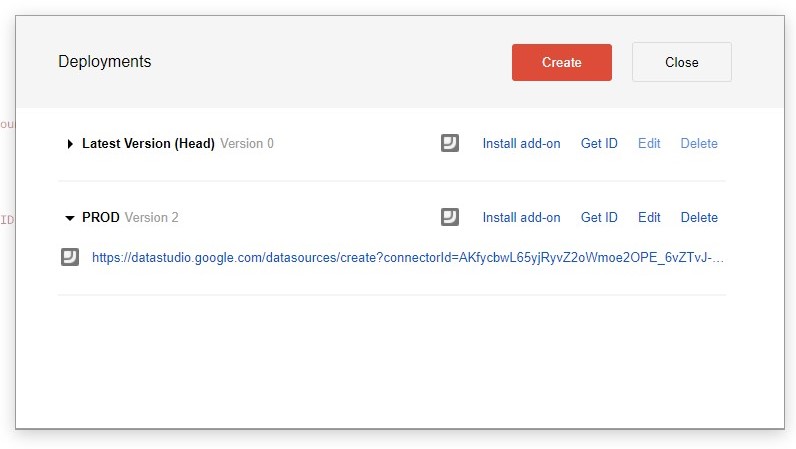
For more information see https://developers.google.com/datastudio/connector/use
Configuring The Connector
On the configuration screen you will need to enter 3 pieces of information:
- API Key - create a Service Account as described in Authentication
- MID - find this in your account or contact your Account Manager
- Agency ID - choose the correct value from AgencyId
- Currency Code - choose the currency code you wish values to be converted to (E.g., USD or GBP)
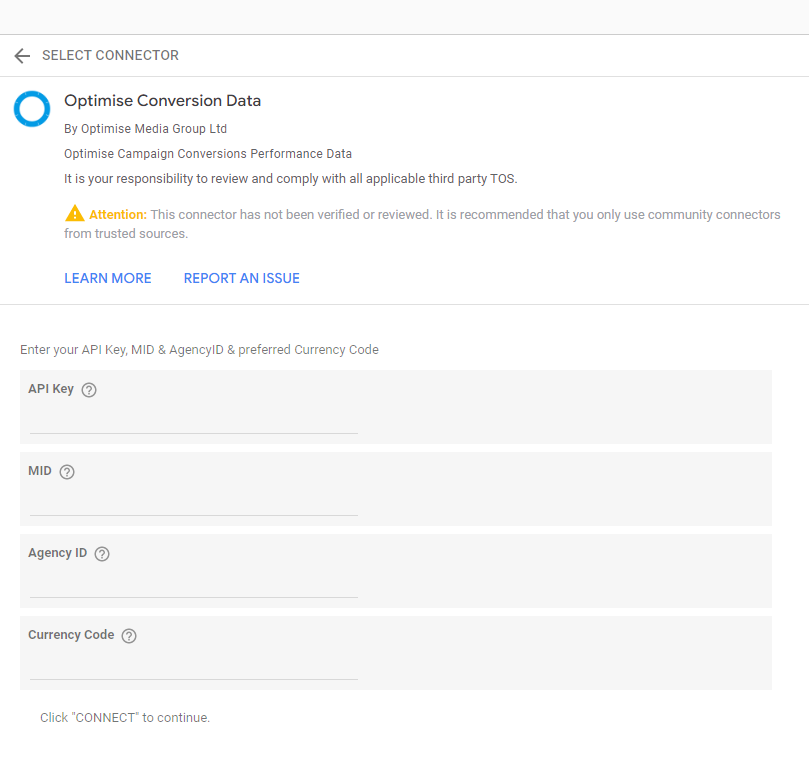
Click CONNECT to get started.